Don't underestimate the ability of Nano Banana (Google Gemini Image) to accomplish the impossible. New Amazon hero image needed, but impossible for a human graphic designer.
I gave up hope and tried this to see what all the Nano Banana hype was about. I literally was speechless when I saw this work.

My wife needed help with an image for her Amazon FBA jewelry business. I’m the resident Photoshop/Affinity Designer hacker in the family.
So, here was the impossible challenge.
The hero image on Amazon has to have a transparent or pure white background.
The only image she had was this one below:
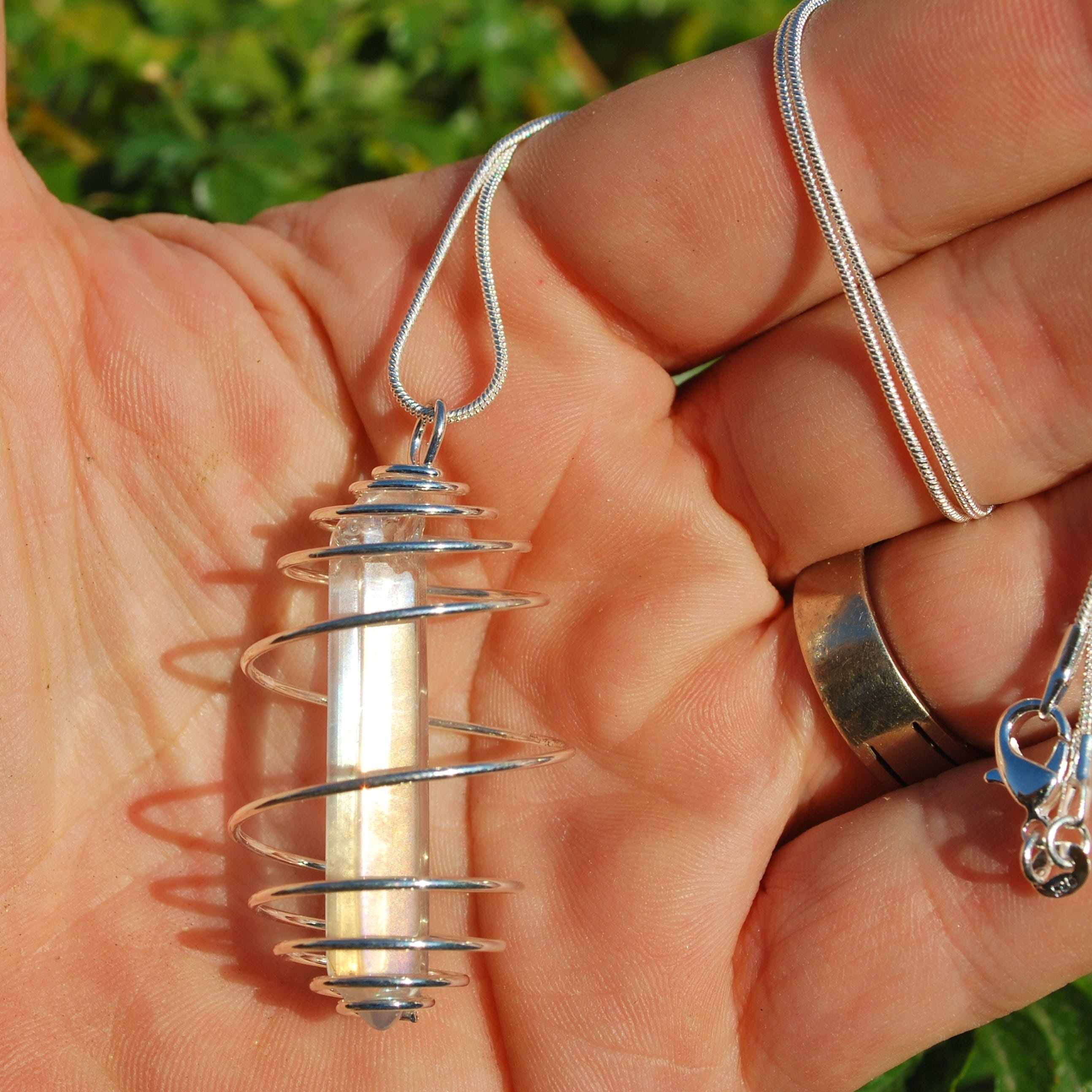
The logistics of removing the hand and cropping the chain, and creating a nice image for the Amazon Photo #1 spot are basically impossible. I would have to cut this out by zooming in and hand-tracing the image at the pixel level. Anyone who’s done this knows that at the pixel level, there will also be noise from surrounding colors that make this basically impossible.
Any apps out there that say they can do this are terrible at doing it in a way that makes the photo usable on Amazon.
So, I went to Gemini.Google.com.
I entered this prompt and attached the photo:
<prompt begin>This image is of an Angel Aura Quartz Crystal Pendant on a snake chain held in the hand of a man. The pendant is made by placing an Angel Aura Crystal inside a 20mm Spiral Bead cage.
Amazon wants a photo of the main item, so in this case, it is the pendant hanging on the chain.
1) First, zoom in (crop) the image so that it is just a small amount of the chain above the loop of the spiral cage maybe 0.75 inches.
Then..
I need you to remove the hand, but keep the spiral bead cage, angel aura quartz crystal, and a portion of the chain. Place it on a pure white or transparent background PNG file.
I need the file to be square at about 1000px X 1000px or greater.<prompt end>

This is amazing. It even fixed the loop at the top where the chain pulls through, but it wasn’t perfect. So, I added this to the chat:Please match the rainbow sheen that is the original. Your image is perfect, except that the Rainbow Sheen, which is classic to Rainbow Angel Aura, is missing. Please add the sheen and add a touch more glow from the sun, like the original photo.
Results:
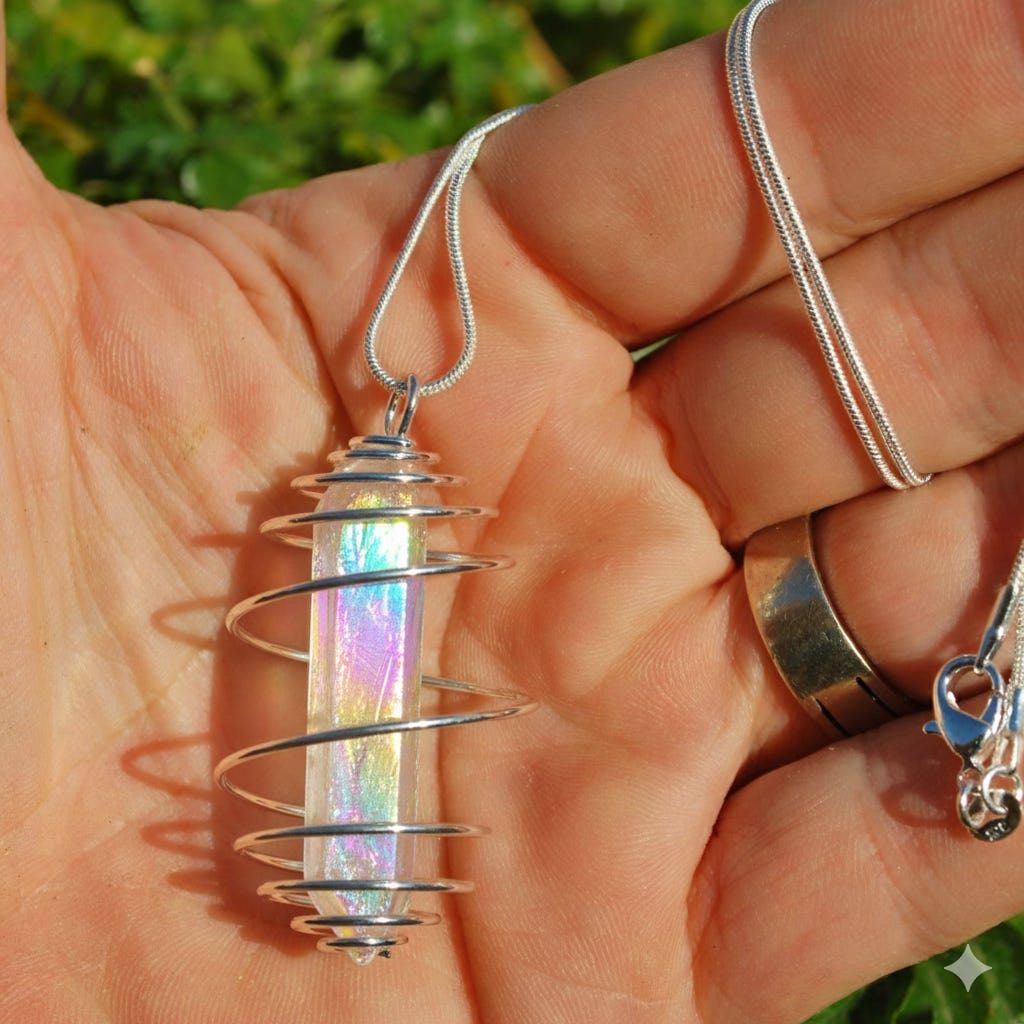
So, now the sheen is back, but it lost all of the previous work.
But wait a second…this is just Gemini recreating the original so that it can then create a new version.
It then quickly gave me this:
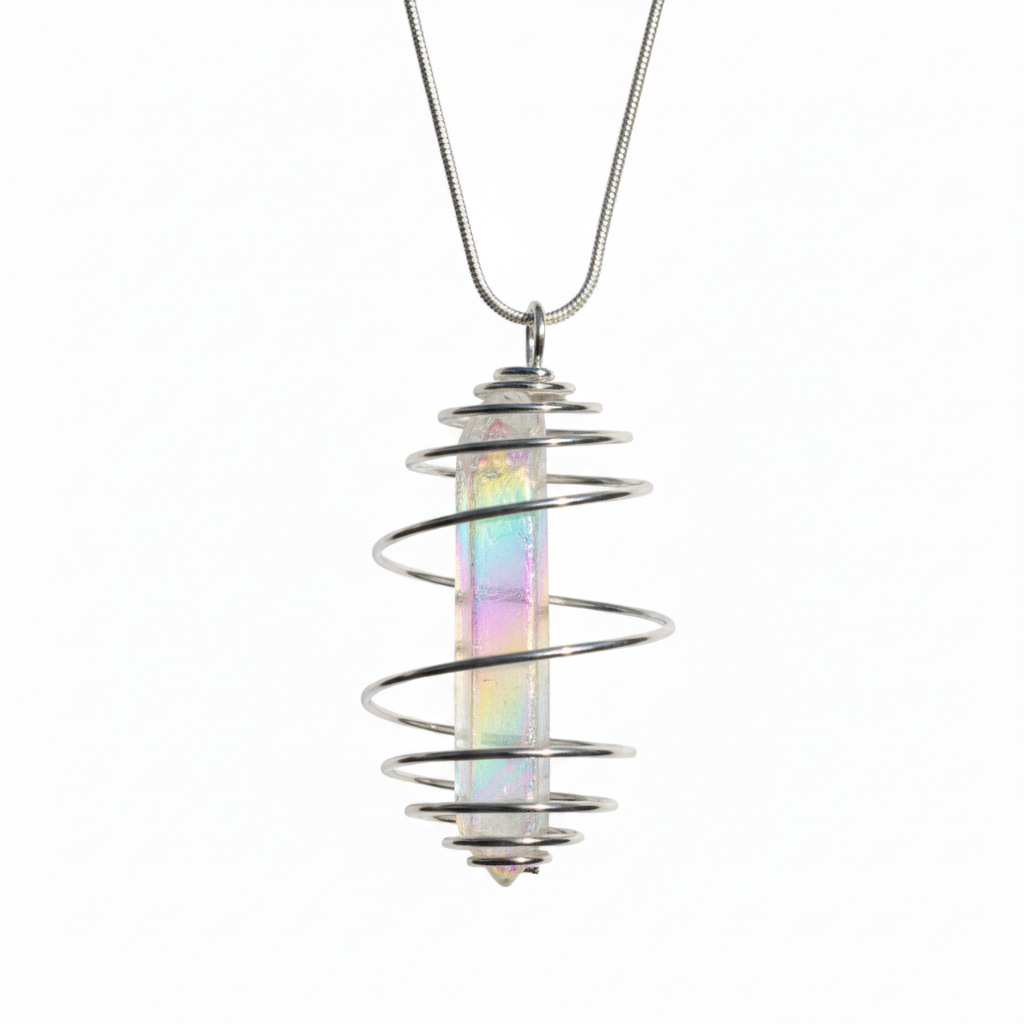
So, this is perfect. The impossible has been made possible.
However, I did ask it to do a simple crop to shorten the chain and zoom in on the Pendant.
<prompt begin>
Perfect, now readuce chain drop by 60% by zooming in and cropping
</prompt end>
Which it completely failed at doing. It just gave me the exact same image with no change. LOL!
I cropped it myself in Windows Photo Editor in 5 seconds and saved a new copy.
So, Gemini accomplished the impossible and got me 99.9% of the way to the promised land, but the Human had to take it to the bank.
Results:

If there’s one pro tip I can give you for any interactions with AI. It is this, and it relates 100% with Stephen Covey’s Habit # 2 of his wildly successful book “7 Habits of Highly Successful People”.
Habit 2: Begin With the End in Mind means to start with a clear understanding of your destination. You need to know where you are going in order to better understand where you are now, so that the steps you take are always in the right direction.
Begin with a clear vision for the result you want in order to save yourself time.
Be detailed in your prompting on what you want. Shoot for the stars on this, even if you think it is impossible.
If this was helpful, please like & share with someone, it may be a blessing to and if you have your own impossible mission story, post a comment.
Estimate of time saved = 4 hours at least, and a new photoshoot.
Thank you for the opportunity to serve you.
Dan